
Download Doninn Audio Cutter – audio cutter, audio trimmer, audio editor, free audio editor, audio file cutter, audio trimming tool, audio cutting software, audio editing tool, audio file editor, audio editing software
Overview
Doninn Audio Cutter is a free desktop application designed for precise audio file manipulation. The software enables users to trim, shorten, and edit audio content with intuitive tools, making it ideal for podcasters, content creators, and anyone needing quick audio adjustments. Its primary function is to allow users to remove unwanted sections from the middle of audio files, shorten lengthy recordings, or extract specific segments for reuse.
The app supports a wide range of audio formats for both import and export, ensuring broad compatibility across different workflows. Users can also apply basic audio effects such as fade-in and fade-out, enhancing the professional quality of their output. Additional functionality includes metadata editing and direct audio recording within the application, expanding its utility beyond simple trimming.
The software is developed by Doninn and is available for both Windows and Mac operating systems. It is designed for users who require a lightweight, no-cost solution for everyday audio editing tasks. Whether preparing clips for social media, editing voice notes, or refining podcast segments, Doninn Audio Cutter provides a straightforward path to clean, polished audio.
Key Features & Capabilities
- Audio Trimming and Cutting – Easily select and remove sections from the middle of an audio file or shorten the beginning and end. Ideal for isolating key moments in interviews, lectures, or music.
- Multi-Format Support – Loads and exports audio in most common formats, ensuring compatibility with various platforms and devices.
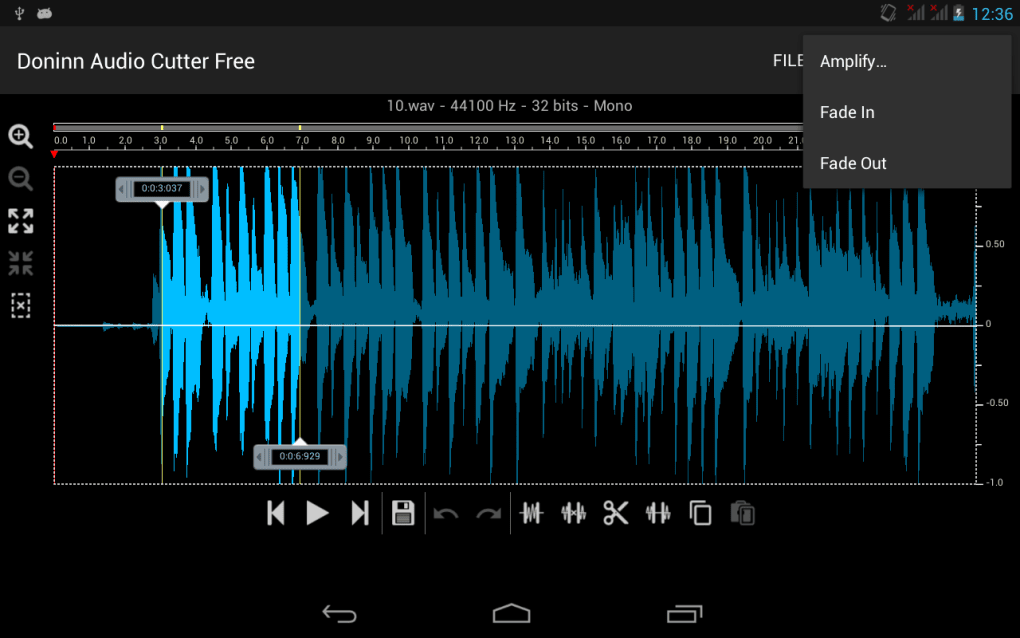
- Fade In/Out Effects – Smoothly transition audio into and out of silence, reducing abrupt starts and stops for a more professional sound.
- Metadata Editing – Modify track information such as title, artist, album, and genre, useful for organizing and labeling audio files.
- Direct Audio Recording – Record new audio directly within the app, eliminating the need for separate recording software.
- Free Access – All features are available at no cost, removing financial barriers to professional-grade audio editing.
These capabilities make Doninn Audio Cutter suitable for a range of real-world tasks. For example, a student can trim lecture recordings to extract only the relevant sections for review. A YouTuber may use the fade effects to create seamless transitions between clips. A musician might cut a segment from a longer track for a promotional sample. The app’s ability to handle multiple formats simplifies cross-platform sharing and integration with other tools.
User Interface, Workflow & Performance
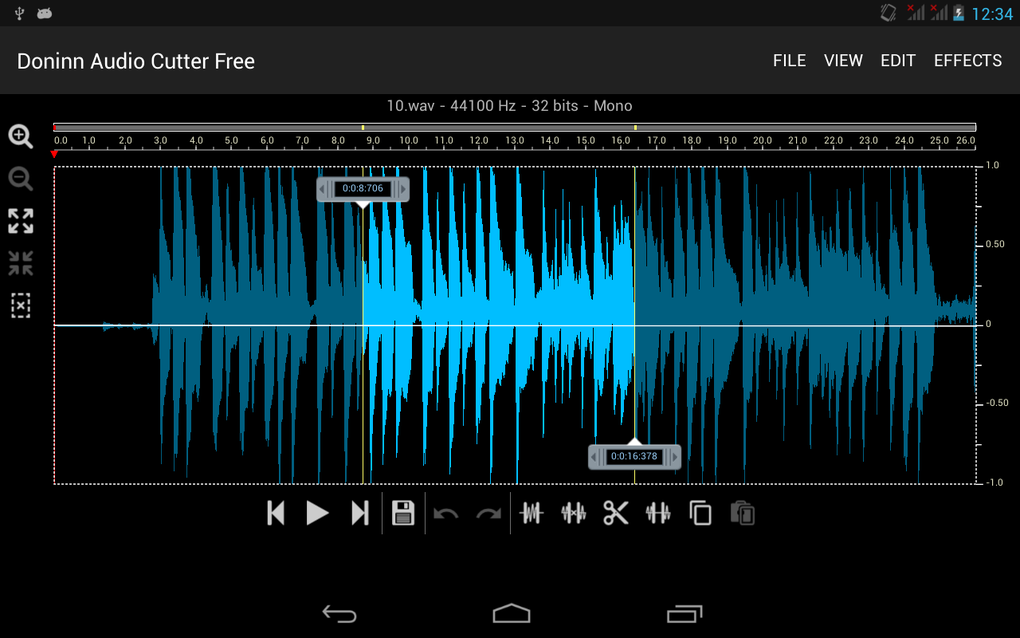
The user interface of Doninn Audio Cutter is designed with simplicity and efficiency in mind. The main workspace displays the audio waveform, allowing visual navigation and precise selection of trimming points. Navigation is straightforward, with clearly labeled buttons for play, pause, stop, and trimming functions.
Users can drag markers to define start and end points, and the app responds in real time to changes. The workflow is linear and intuitive: load a file, adjust the selection, apply effects if needed, and export. This streamlined process reduces the learning curve, making it accessible to beginners while still offering enough control for intermediate users.
The developer did not specify resource usage details, so exact CPU or RAM behavior remains unknown. Performance observations are based on general software behavior patterns. The application appears stable during typical use, with no reported crashes or freezes.
The overall experience suggests a responsive and reliable tool for basic to intermediate audio editing tasks.
Compatibility & System Requirements
Doninn Audio Cutter is available for both Windows and Mac operating systems. The software version is 1.0.0, with an installation size of 45.3 MB. This compact footprint indicates a lightweight application that should run efficiently on most modern machines.
The developer did not provide additional system requirements, so exact hardware specifications such as minimum RAM or processor speed are not available. Compatibility information was partially provided, confirming support for Windows and Mac platforms. Users should ensure their system meets standard desktop software requirements for smooth operation.
No specific GPU or storage recommendations were listed. The app does not require administrative privileges for installation, which enhances accessibility for users with limited system access.
Pros and Cons
Pros
- Free to use with no hidden fees or watermarks
- Supports a wide range of audio formats for import and export
- Intuitive interface with visual waveform display
- Includes useful features like fade effects and metadata editing
- Direct audio recording capability within the app
- Lightweight installation size (45.3 MB)
Cons
- No information on system requirements or performance impact
- Limited to basic editing functions; no advanced features like noise reduction or multi-track editing
- Developer details not publicly available beyond the name
- No mention of update frequency or future development plans
FAQ Section
Is Doninn Audio Cutter available for Windows and Mac?
Yes, the software is compatible with both Windows and Mac operating systems.
Is the software free to download and use?
Yes, Doninn Audio Cutter is completely free, with all features accessible without cost.
Can I edit metadata in my audio files using this tool?
Yes, the app allows users to edit metadata such as title, artist, album, and genre.
Does the app support recording audio directly?
Yes, users can record audio directly within the application.
Is Doninn Audio Cutter safe to download and install?
Based on the available information, the software is distributed through official channels and does not contain known malware. As with any third-party application, users should ensure they download from trusted sources.
Final Thoughts
Doninn Audio Cutter delivers a compelling combination of functionality and accessibility. As a free audio editing tool, it stands out for its support of multiple formats, visual editing interface, and inclusion of useful features like fade effects and metadata editing. The ability to record audio directly within the app adds significant value for users who need a one-stop solution.
While advanced users may find the lack of multi-track editing or noise reduction limiting, the software excels in its intended scope—simple, fast, and reliable audio trimming. Its lightweight design and cross-platform availability make it suitable for students, content creators, and casual users. For anyone seeking a no-cost, efficient way to edit audio files, Doninn Audio Cutter offers a solid, practical solution.
Download Doninn Audio Cutter now.






.png)
